
Skip to content
Tiger Technologies
Tiger Ecom E-commerce & business automation

Your Entire Business. One Connected Platform.

Manage orders, courier fulfilment, inventory, POS, accounts and customer follow-up—from one connected business platform.

30-day free trial · No credit card required

Visit tigerecom.com (opens in a new tab)
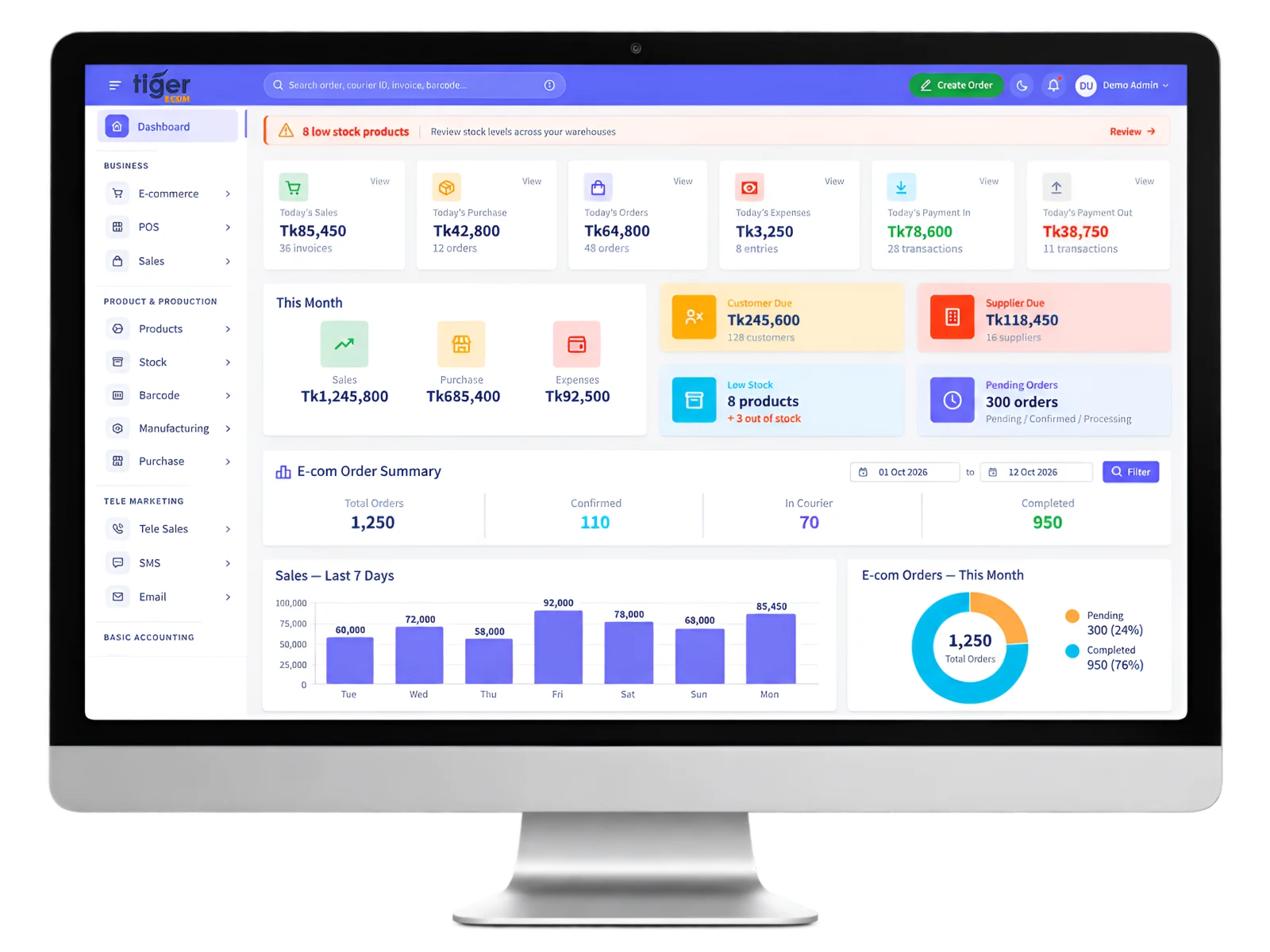
Tiger Ecom shop dashboard on a desktop monitor, with today’s sales, orders, dues, low-stock alerts and the order summary

Connected stores

Connect your stores. Manage your business in one place.

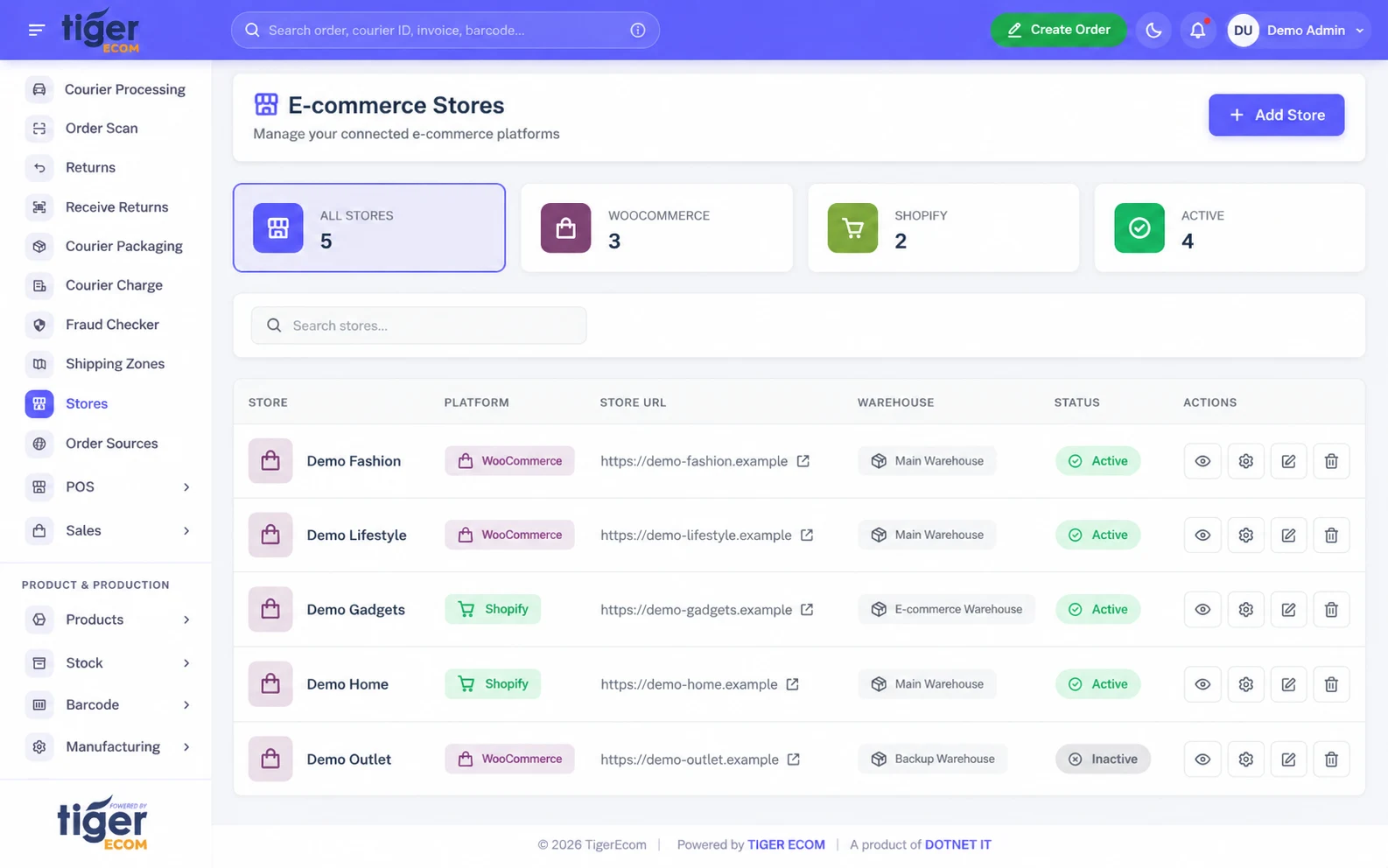
Connect multiple WooCommerce and Shopify stores to TigerEcom. Bring website orders into your ERP and manage products, inventory and store-specific operations from one place.

Tiger Ecom e-commerce stores: connected WooCommerce and Shopify stores with their warehouse and status
  • Multiple stores

    Connect WooCommerce using REST credentials and Shopify through OAuth.

  • Orders and products

    Automatically receive website orders and import products with variants. WooCommerce also supports pushing products and orders from the ERP.

  • Store-specific operations

    Configure each store’s warehouse, default and allowed couriers, and order, stock and status synchronisation preferences.

  • Separate invoice branding

    Set store-specific logos, contact details, invoice prefixes, terms and footer.

Synchronisation options are set per store; choose the ones each store should use.

TigerEcom WordPress plugin

Control your WooCommerce checkout from TigerEcom.

Manage checkout verification, protection, payments and tracking settings from your ERP. Capture incomplete checkout leads and connect WooCommerce activity to your operations.

  • OTP Verification

    Verify phone numbers before or after orders, with delivery-ratio-based OTP rules. OTP messages use your ERP SMS credits.

  • Security & Blocking

    Manage IP, phone and email-domain blocking, VPN/proxy detection and order rate limits.

  • Bot Prevention

    Detect suspicious devices, bot activity and fake checkout details to help reduce fake orders.

  • Payment & COD

    Configure payment gateways, advance payments and ratio-based COD controls.

  • Tracking & Analytics

    Send confirmed purchase events through Facebook Pixel and Conversions API.

  • Block Lists

    Manage blocked IPs, phone numbers and devices from the ERP.

  1. Configure
  2. Save in ERP
  3. Push to WordPress

Save stores the configuration in your ERP. Push applies it to your website after you confirm.

Protection settings help reduce fake orders; they cannot prevent every fake order.

Software preview

See TigerEcom at work.

From the first order to the final report, each area covers one part of running your business.

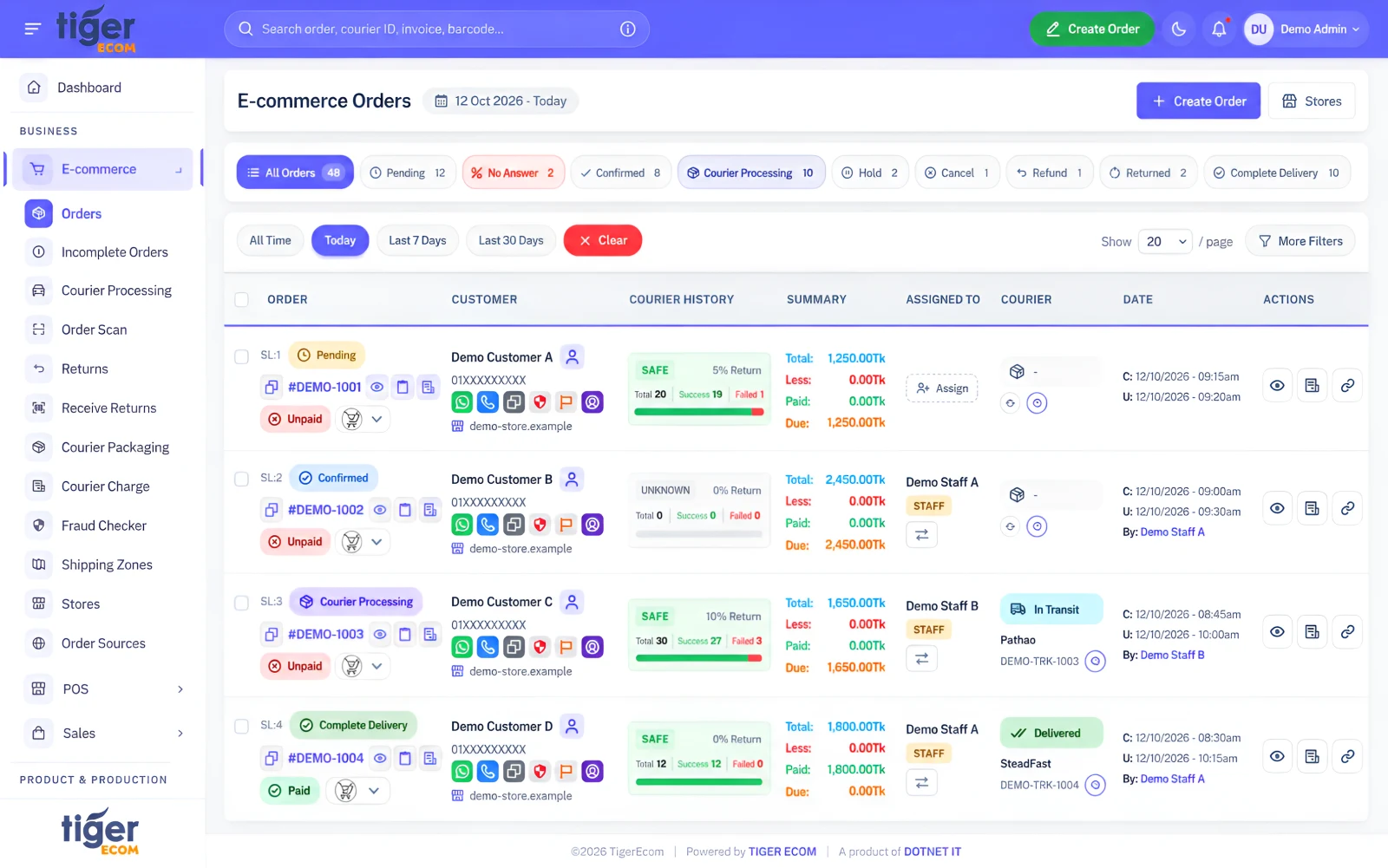
Order Management

Every order in one place, with its source, status and assigned staff. Order locking stops two people editing the same order at once.

Tiger Ecom: Order Management screen

Incomplete Orders

Recover sales from incomplete checkouts.

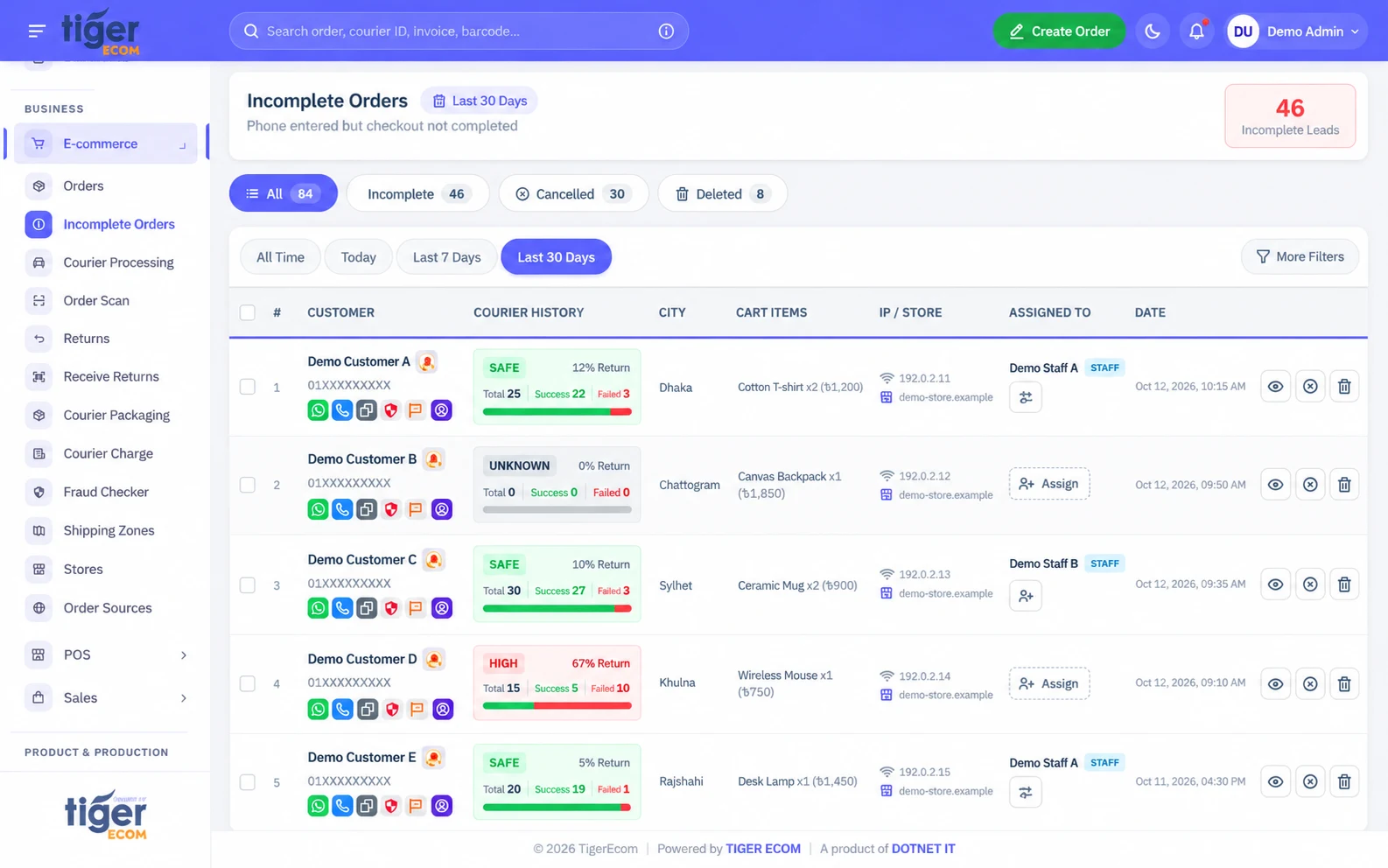
Capture checkout leads with their phone numbers and cart items. Assign staff to follow up, record call notes, and convert interested customers into pending orders.

  • Capture WooCommerce checkout leads through the TigerEcom WordPress plugin, and Shopify abandoned checkout events. When a WooCommerce checkout is completed later, the existing lead becomes the order.
  • Prevent duplicate leads for the same phone number on the same day, and skip customers who have already ordered that day.
  • Automatically check courier delivery history before staff follow up.
  • Assign individual or bulk leads to staff and save TeleSales notes.
  • Convert interested leads into Pending orders, or manage cancellations and deletion with separate permissions.
  • Lead locking prevents two staff members from editing the same lead at once.

Incomplete orders carry no order charge.

Tiger Ecom: Incomplete Orders screen

Courier Processing

Book, track and manage deliveries in one place.

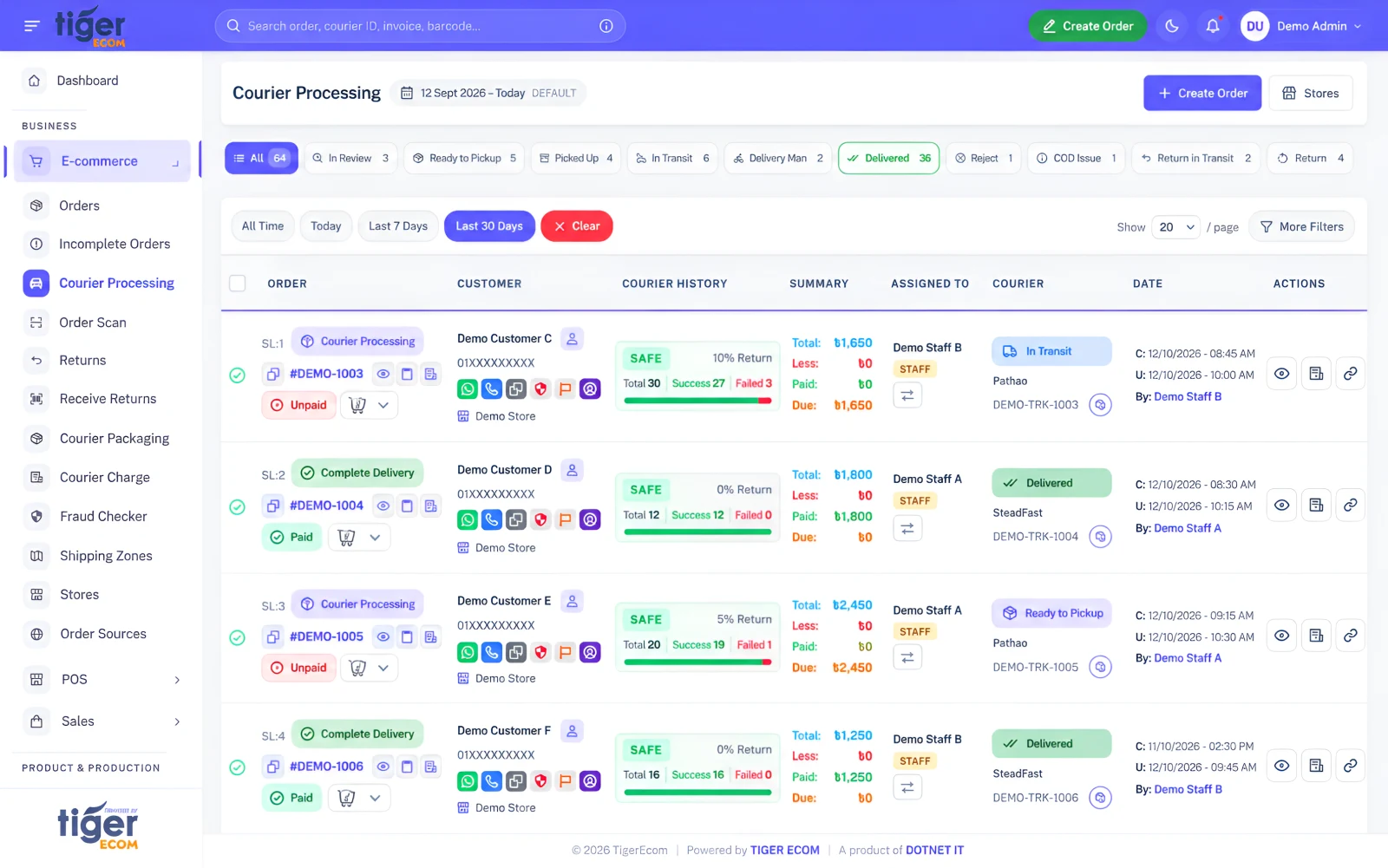
Book individual or bulk orders with Pathao and SteadFast, track parcel progress, and manage courier returns from TigerEcom.

  • Book individual or bulk orders and choose between multiple courier accounts.
  • Adjust COD amount, booking notes and delivery charges.
  • Track deliveries through courier webhook updates, and use Refresh Tracking when needed.
  • Mark parcels ready for pickup, including barcode-based order scanning.
  • Fetch rider information and manage return receipt and stock restoration.
  • Identify courier COD amount changes through a persistent COD Issue flag.

Booking SMS and email depend on your notification settings. Offline couriers need manual status updates.

Tiger Ecom: Courier Processing screen

Inventory

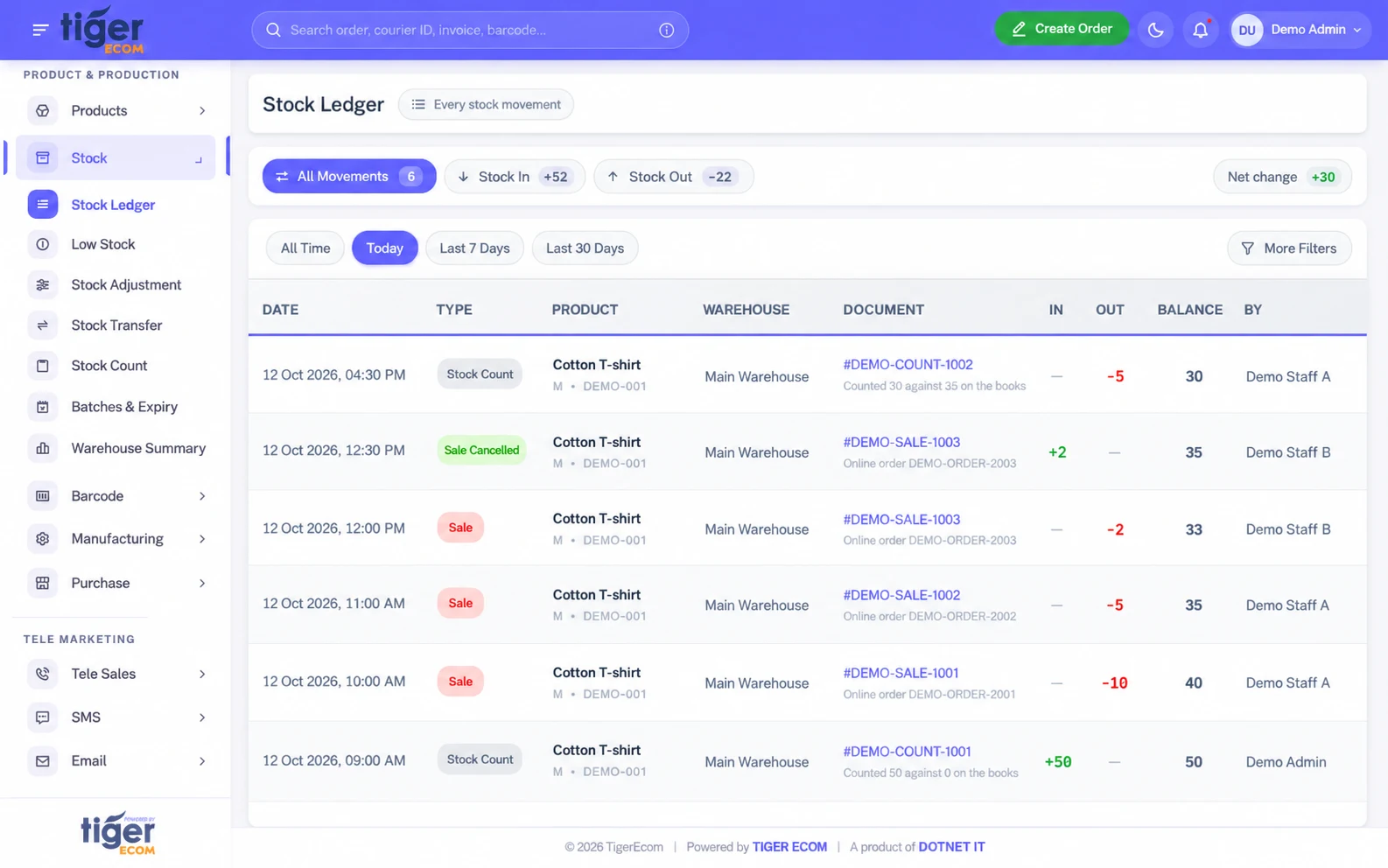
Variant-level stock across warehouses, with a ledger of every adjustment, transfer and count.

Tiger Ecom: Inventory screen

POS & Sales

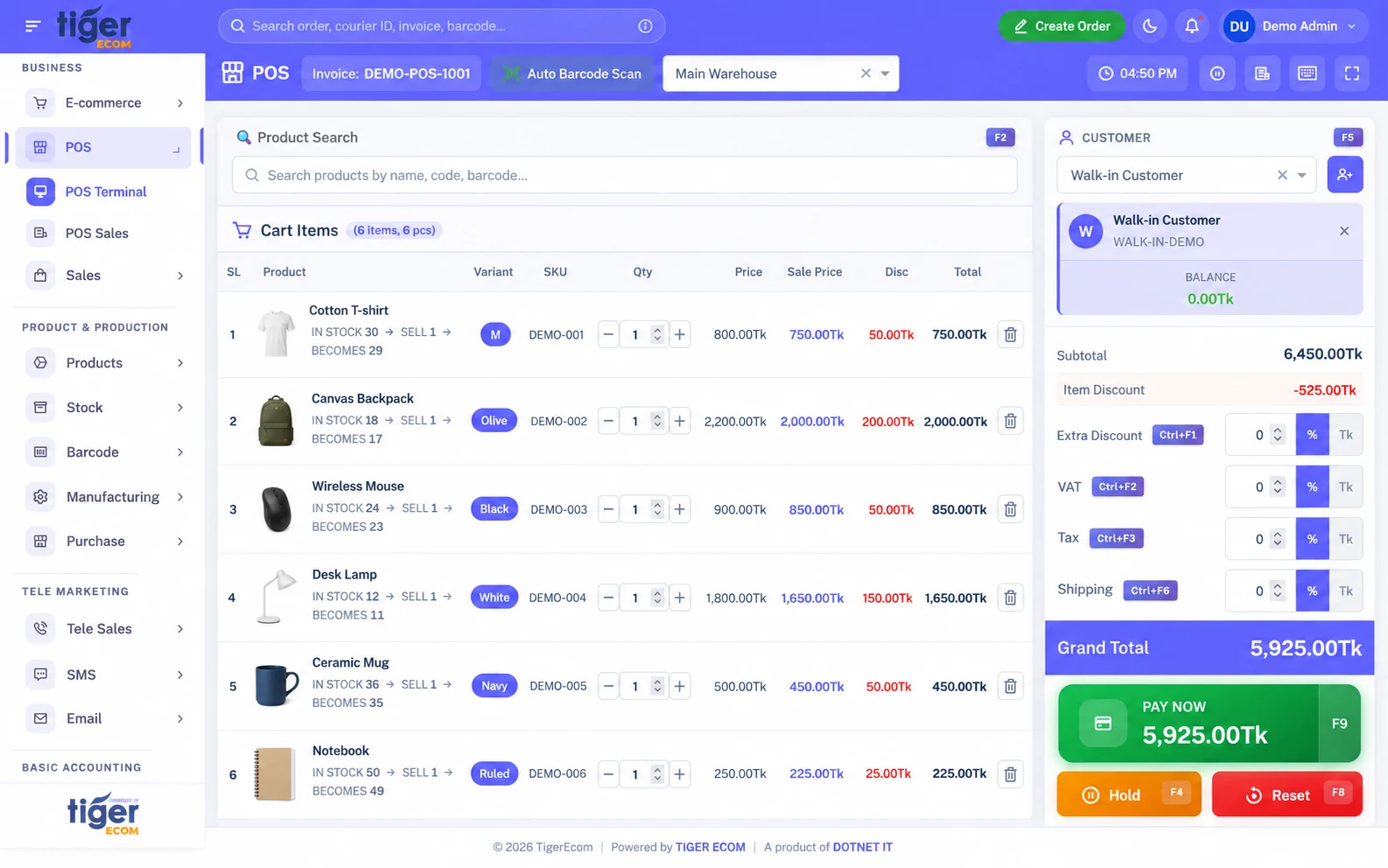
Barcode-based counter sales with invoices, due collection and sales returns, connected to the same stock.

Tiger Ecom: POS & Sales screen

Reports

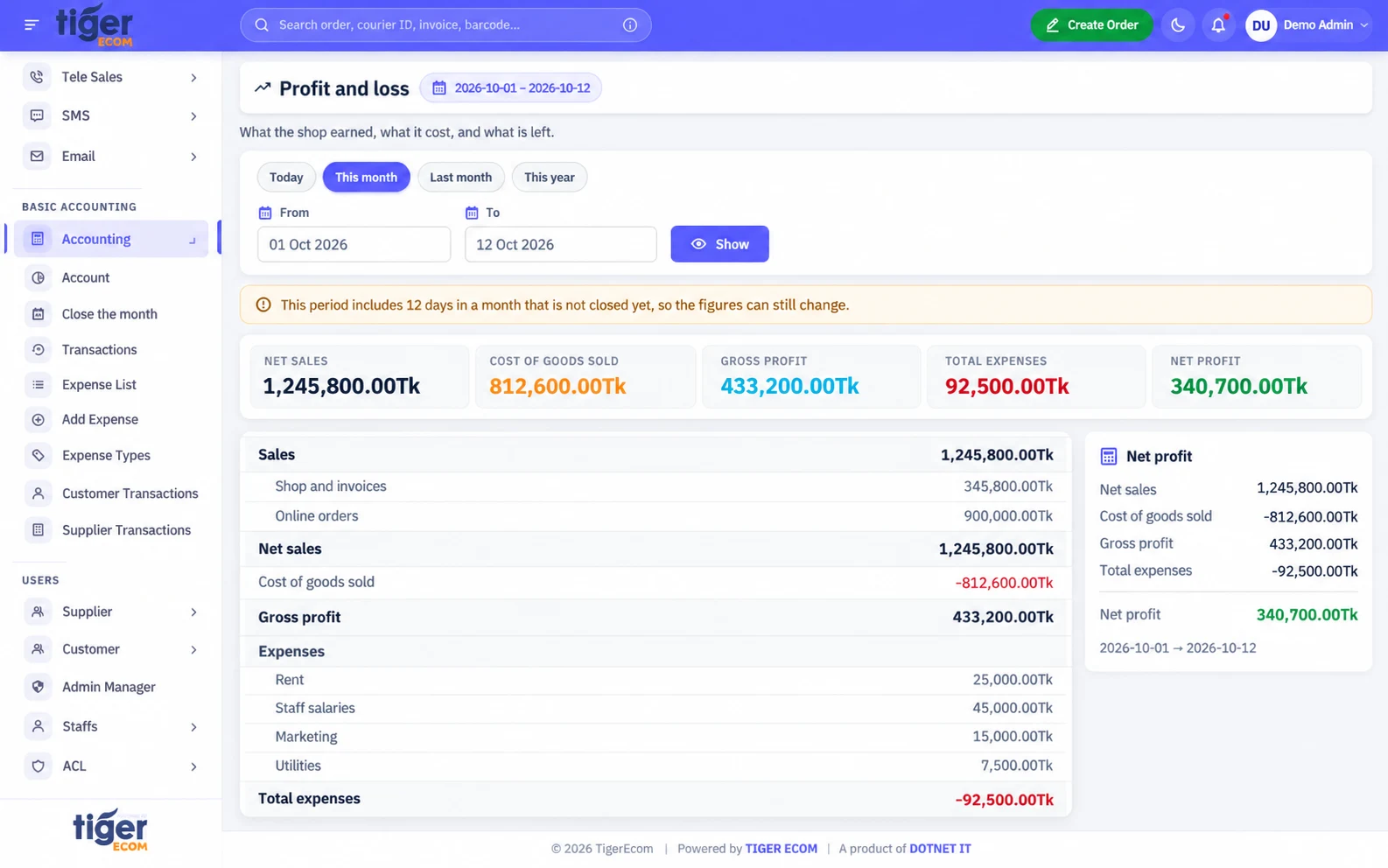
Profit and loss, cash, dues, stock value and courier settlements, built from your day-to-day records.

Tiger Ecom: Reports screen

Core features

Everything your business runs on.

  • Connected Orders

    Manage store orders, statuses, order sources, incomplete checkouts and staff assignments. Order locking prevents simultaneous edits.

  • Courier & Returns

    Process shipments through Pathao and SteadFast, track status updates, scan orders and receive returned products into stock.

  • Inventory & Warehouses

    Manage product variants, stock ledgers, adjustments, transfers, counts, batches and multiple warehouses.

  • POS & Sales

    Handle barcode-based counter sales, invoices, due collection, sales returns and recurring invoices.

  • Accounts & Reports

    Track expenses, cash, customer/supplier balances, profit and loss, courier settlements and month closing.

  • CRM & Automation

    Manage leads, notes, call queues, reminders, caller performance and SMS/email notifications.

Order to delivery

From order to delivery, step by step.

  1. Order received Orders arrive from connected stores or are added by your team, with their source recorded.
  2. Review and confirm The team checks the details and the customer’s history, then confirms the order.
  3. Pack and scan Items are packed and scanned so the right products leave the warehouse.
  4. Courier booking The shipment is booked with Pathao or SteadFast from inside TigerEcom.
  5. Delivery or return Status updates follow the parcel until it is delivered or returned.
  6. Payment and accounts Collections and courier settlements are recorded in your accounts.

Returned products can be received back into inventory, so stock stays accurate after a return.

Fraud Checker

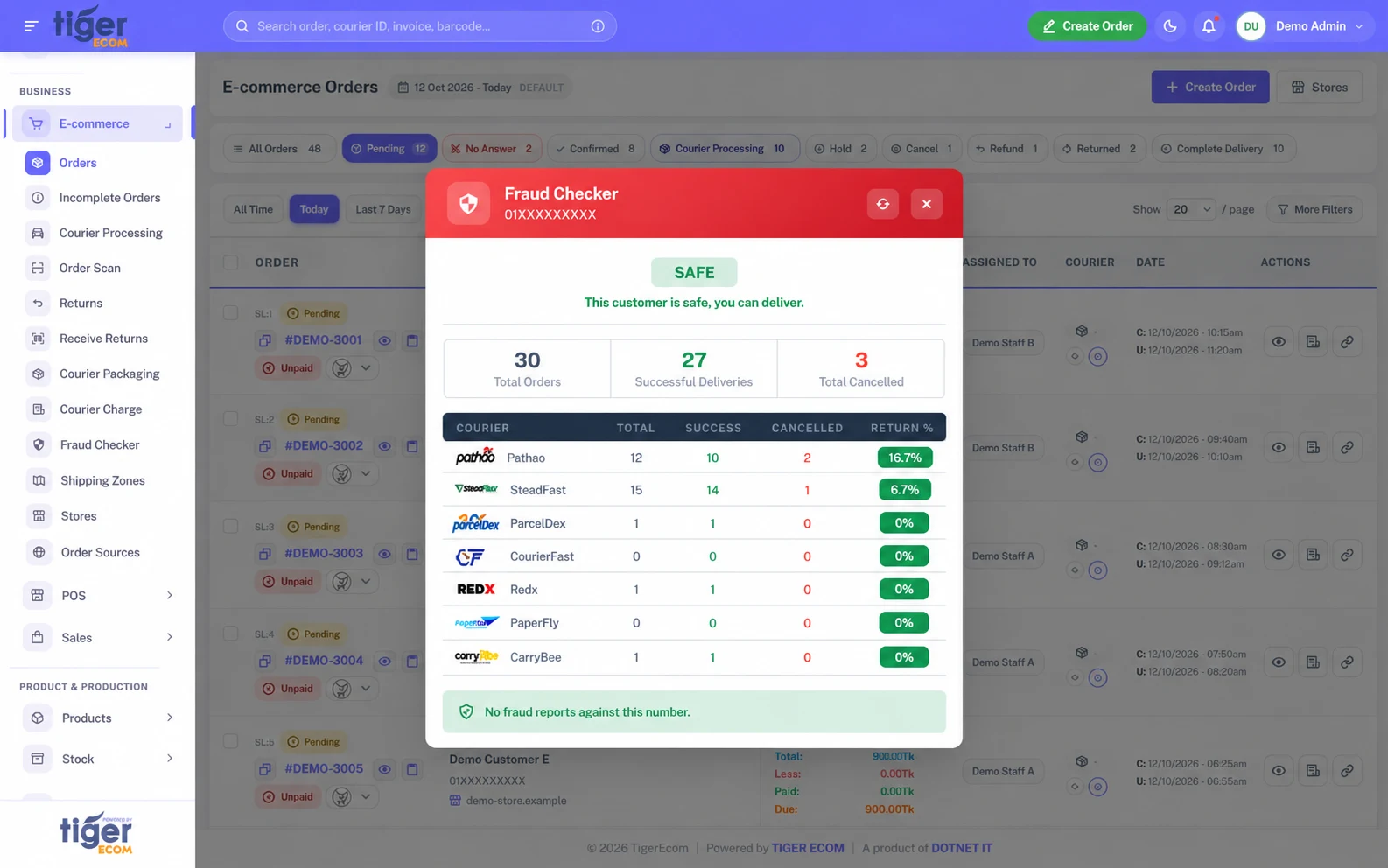
Review Customer Risk Before Dispatch.

See a customer’s track record before the parcel leaves.

  • Customer delivery and cancellation history.
  • Courier success and return ratios, with risk indicators.
  • Anonymised fake-customer reports shared between shops.

Risk indicators support your team’s decision; they cannot guarantee that an order will be delivered.

Tiger Ecom Fraud Checker results
Tiger Ecom inventory screen
Tiger Ecom POS screen

Inventory & POS

Keep Sales and Stock Connected.

  • Online and counter sales from the same stock.
  • Variant-level inventory.
  • Branch and warehouse stock tracking.
  • Barcode generation, scanning and printing.
  • Purchase, return and damage records.

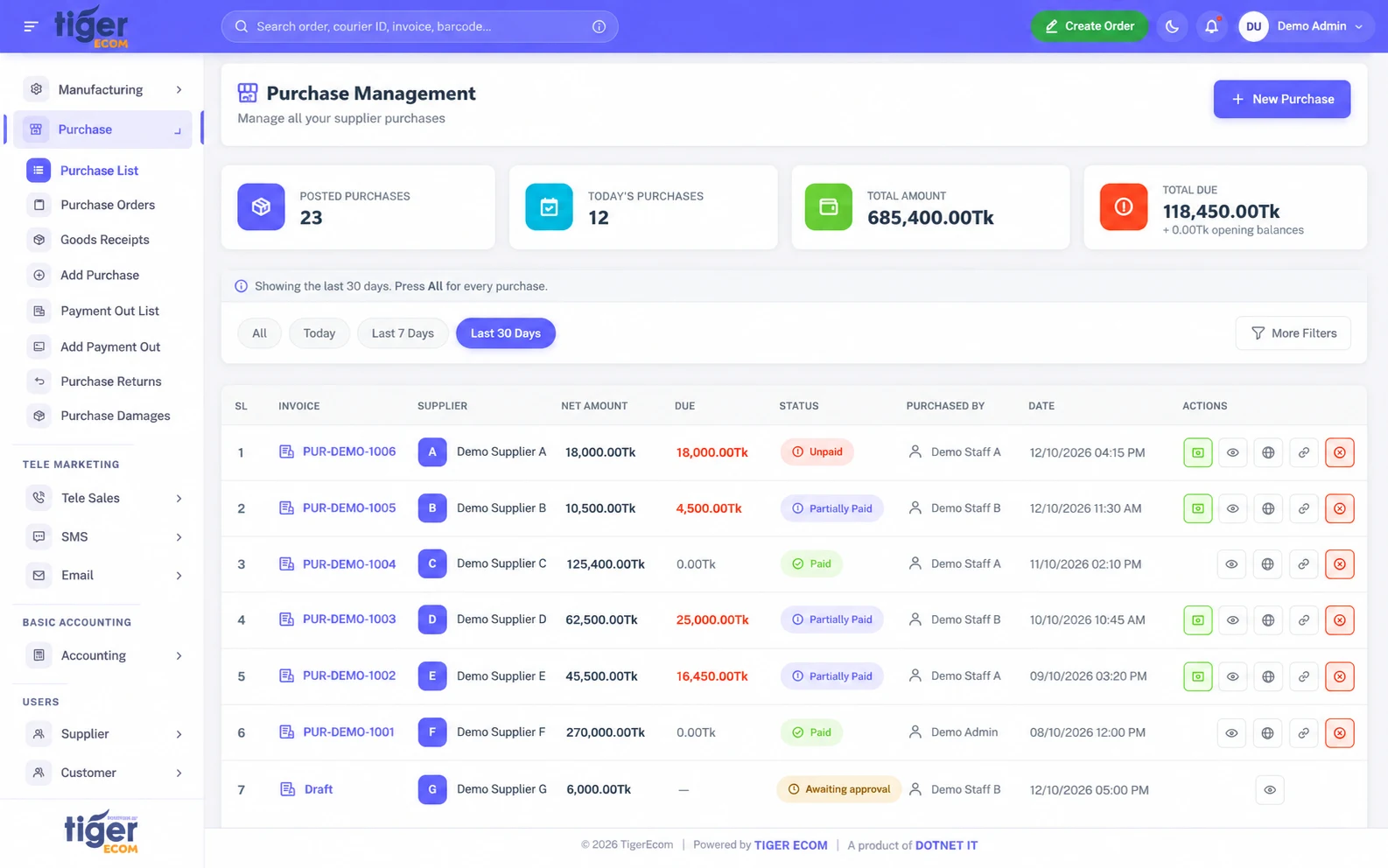
Purchase management

Know what you buy, what it costs and what you owe.

Manage supplier purchases, payments, returns and damaged goods in TigerEcom. Keep inventory, supplier balances and accounting connected.

Tiger Ecom purchase list with supplier bills, amounts, dues and payment status
  • Buy in cartons, sell in pieces

    Configure product-specific pack sizes while tracking inventory in individual pieces.

  • Understand your actual purchase cost

    Allocate shipping, additional charges and discounts across products. VAT treatment follows your configured setting.

  • Compare supplier prices

    Check supplier purchase-price history, the latest purchase price and average cost.

  • Track batches and expiry

    Record batch numbers and expiry dates when purchasing applicable products.

  • Manage supplier payments

    Track dues, partial payments and advances. Allocate payments to selected bills or settle the oldest bills first.

  • Handle returns and damaged goods

    Manage approval-based returns and damage records. A refund first offsets supplier dues; any remainder can be returned as cash or kept as supplier credit.

Workflow 1 Default

Quick Purchase

Select a supplier and products, enter costs and payment, then post the purchase.

  1. Draft Saves the entry without changing stock or money.
  2. Submit Requests approval, when approval is enabled.
  3. Post Updates stock and supplier accounting; recorded payments are deducted from the shop wallet.
Workflow 2 Optional

PO → Goods Receipt → Bill

Optional; available when enabled in settings.

  1. Purchase Order Records the supplier order without changing stock or accounting balances.
  2. Goods Receipt Receives products, including partial receipts, and increases stock.
  3. Bill Records the supplier liability without increasing stock a second time.
  • Purchase approvals and permissions
  • Bill attachments and PDF sharing
  • Supplier statements and due-aging reports

Posted bills are corrected with Void and Copy as Draft rather than edited directly. Feature availability and limits depend on your package.

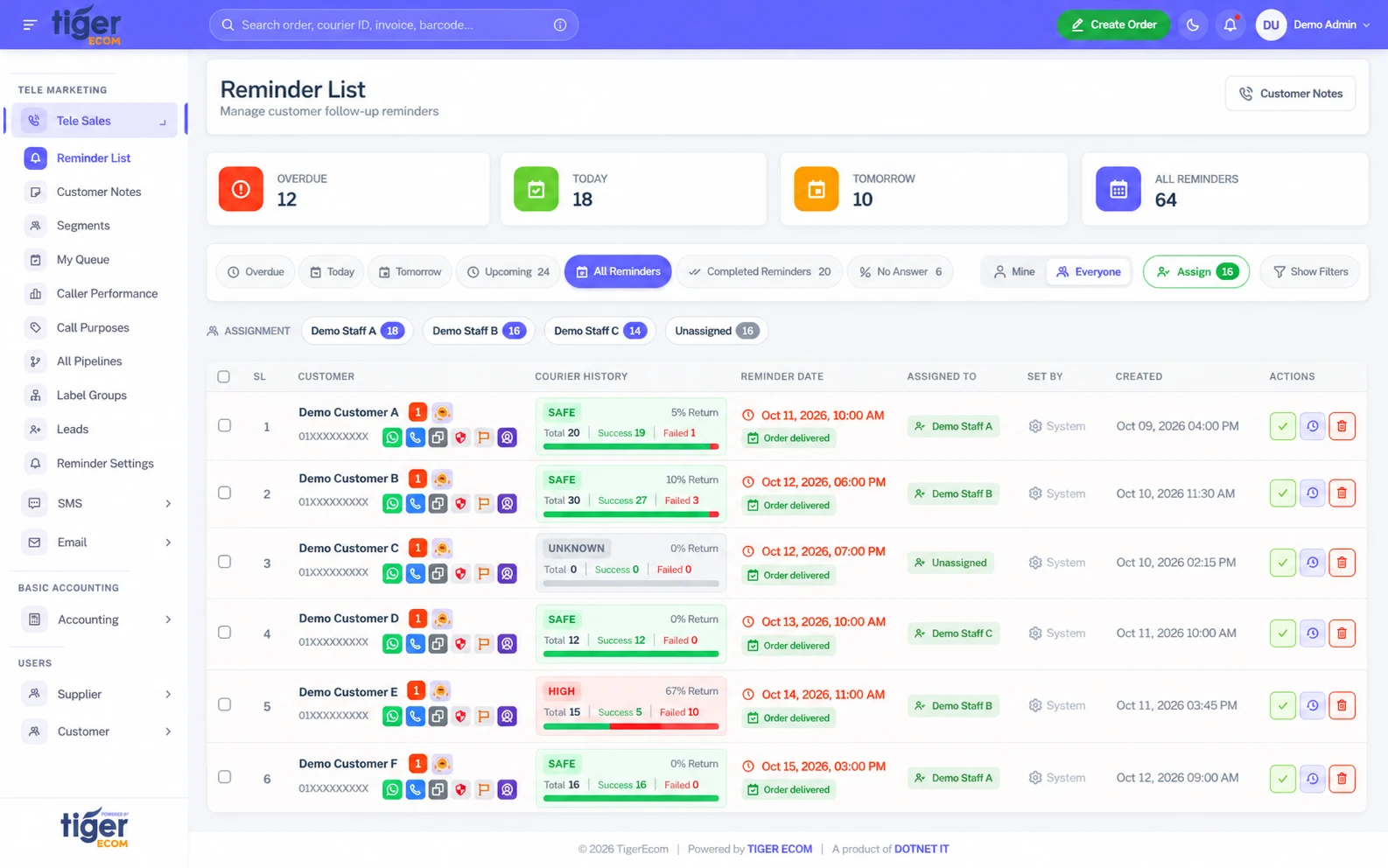
CRM & follow-up

Turn Customer Follow-up Into an Organised Workflow.

  • Customer notes and interaction history.
  • Caller queues and staff assignment.
  • Reminders and pipelines.
  • Follow-up on incomplete orders.
  • Bulk SMS and event-based notifications.
  • Email through the shop’s own SMTP.

SMS credits are purchased separately. Email is sent through your shop’s own SMTP settings.

Tiger Ecom customer notes and reminders

Three connected panels

One platform for your shop, customers and suppliers.

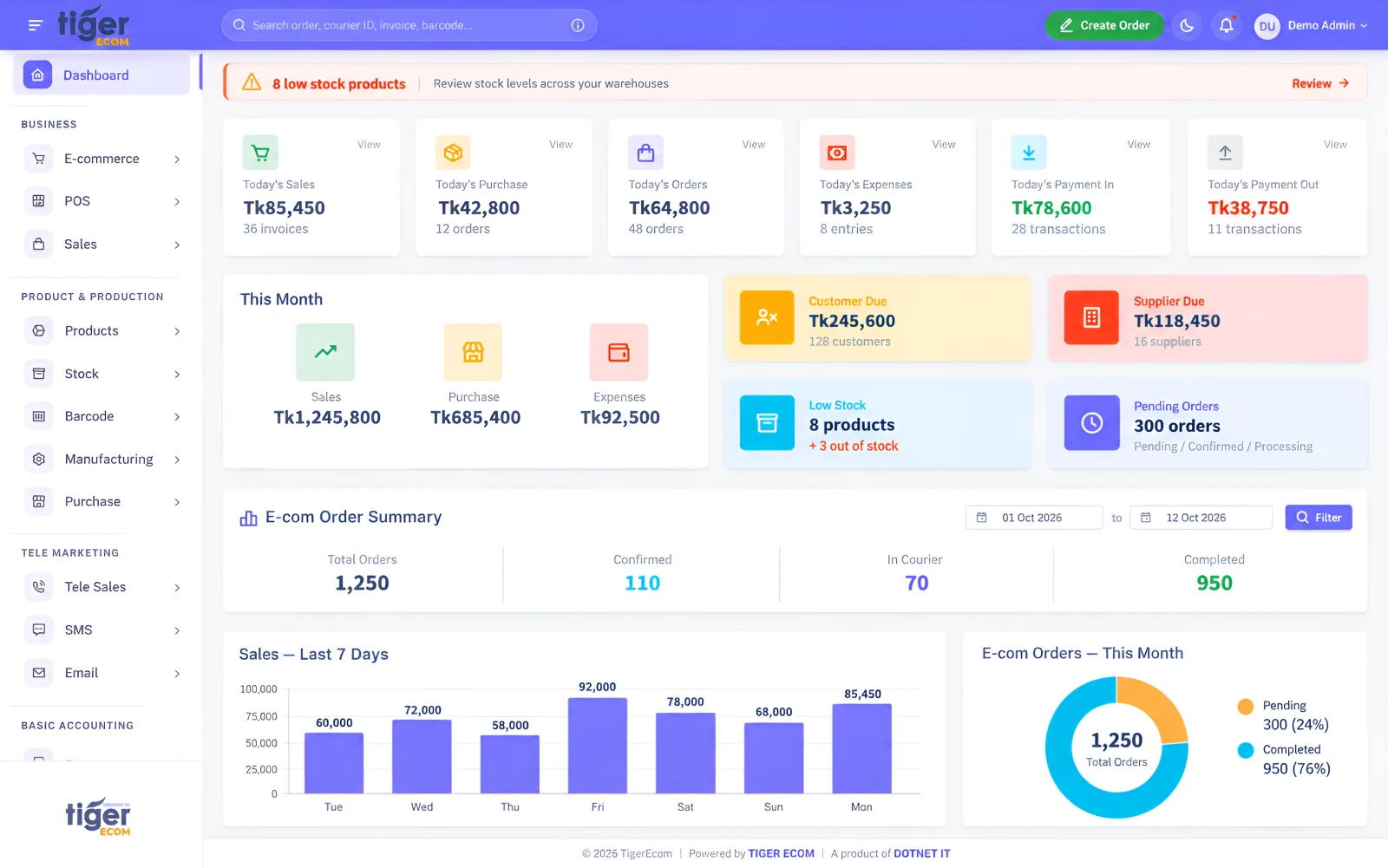
Tiger Ecom Shop Admin & Staff

Shop Admin & Staff

Run the shop from one dashboard.

  • Manage day-to-day shop operations
  • Keep stock and finances up to date
  • Set staff roles and permissions
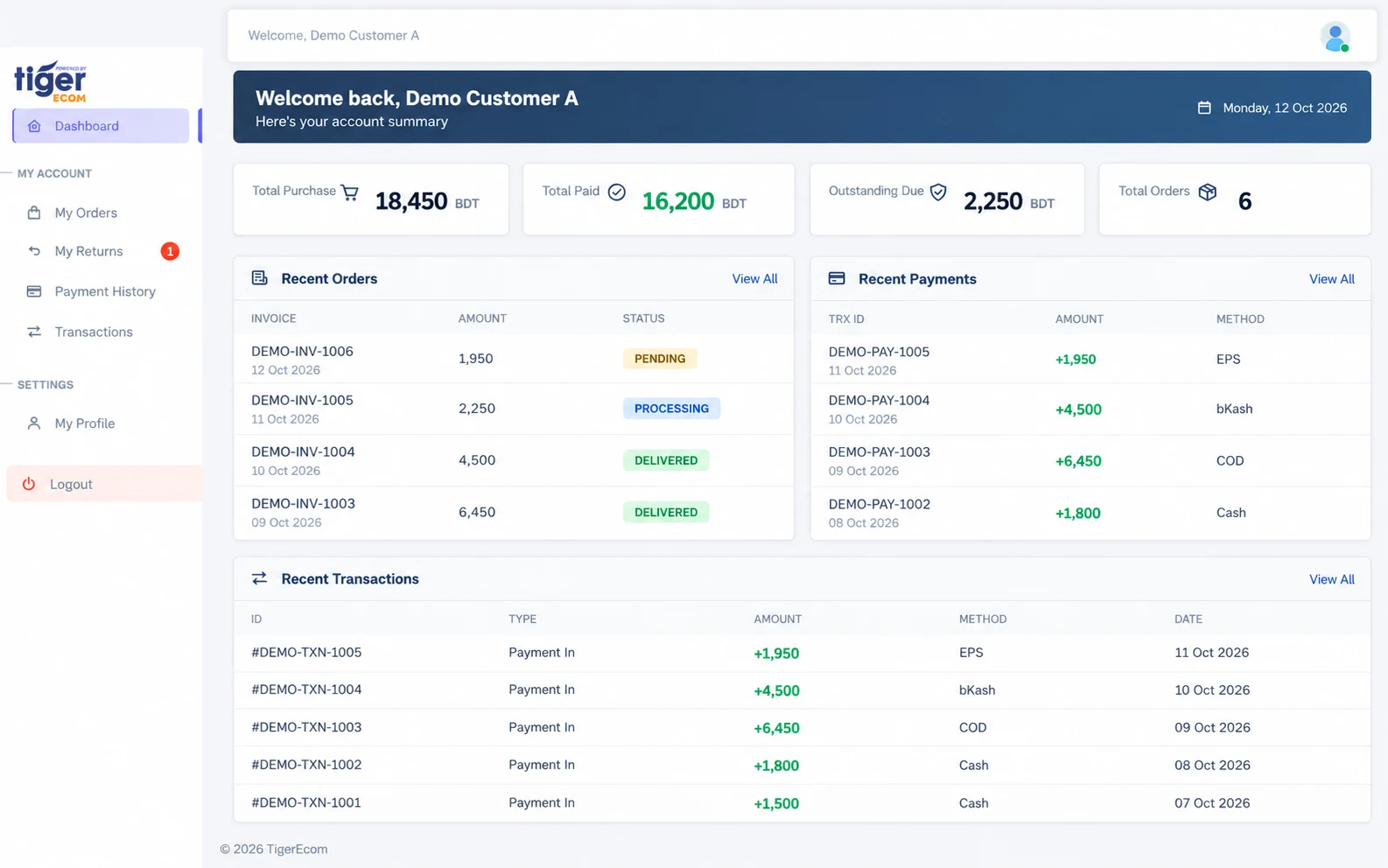
Tiger Ecom Customer Portal

Customer Portal

Let customers check their own orders.

  • View their own orders
  • Submit return requests
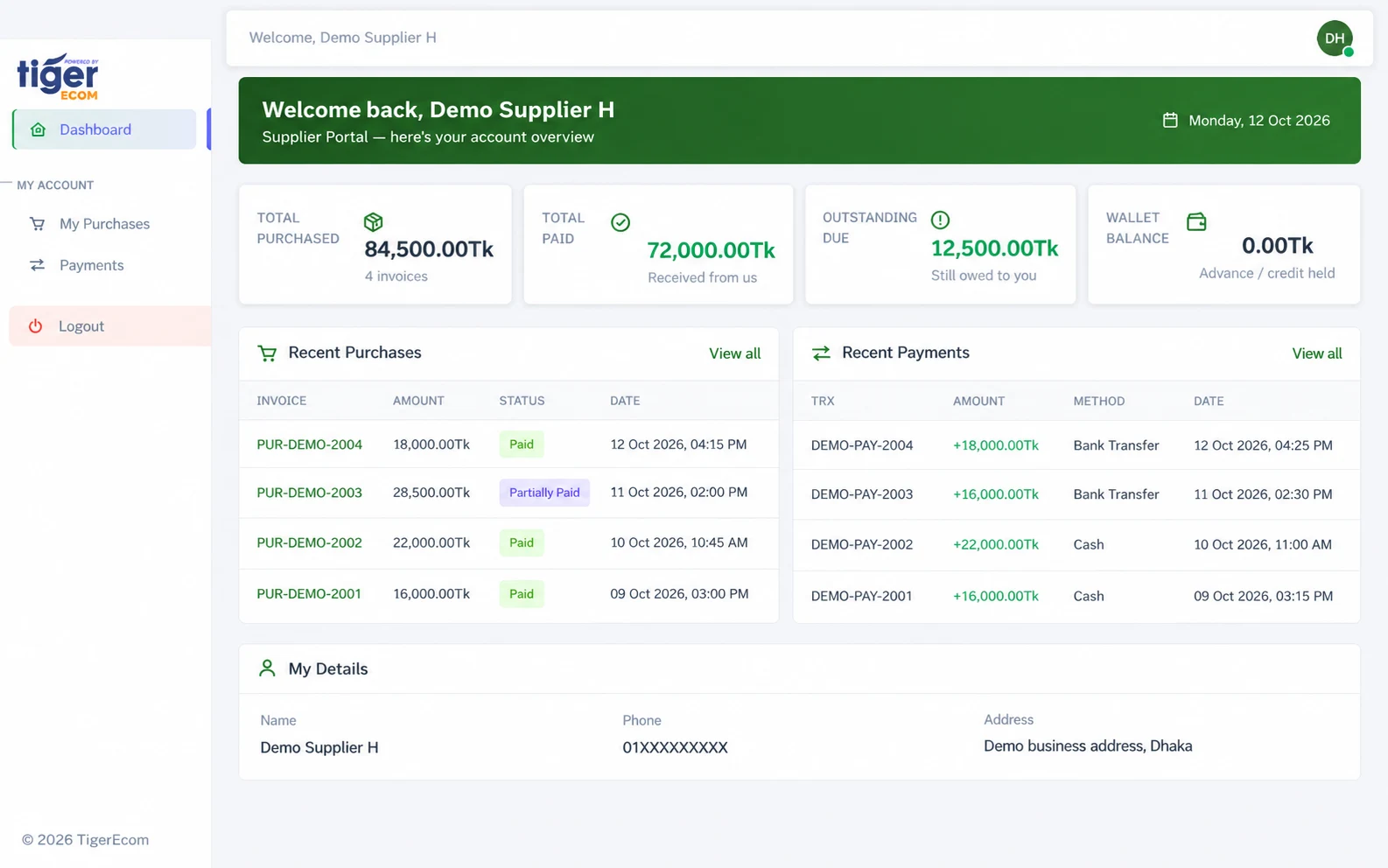
Tiger Ecom Supplier Portal

Supplier Portal

Give suppliers a clear account view.

  • View their own purchases
  • See their payments

Integrations

Connected to the tools you already use.

  • Store connections
    • WooCommerce
    • Shopify
    • WordPress/WooCommerce plugin

    Orders and products sync between your online store and TigerEcom.

  • Courier partners
    • Pathao
    • SteadFast

    Book shipments from TigerEcom and receive their status updates.

  • Payments
    • bKash
    • EPS

    Accept online payments.

Facebook can be recorded as an order-source tag; it is not a direct order integration.

More capabilities

Built for how growing businesses work.

Products & production

  • CSV product import/export and bulk price updates
  • Manufacturing: raw materials, BOM and production orders

Operations

  • Branches and shipping zones
  • Roles, permissions and staff reporting
  • Historical courier data import

Documents

  • PDF reports with shop letterheads and Bengali font support

Reporting & control

See the whole business clearly.

Reports are built from the orders, stock, sales and payments your team already records.

  • Profit and loss
  • Cash books
  • Customer and supplier dues
  • Stock valuation
  • Expenses
  • Courier settlements
Tiger Ecom reports

Access and control

  • Separate business tenants Each business has its own tenant with separate data.
  • Role-based staff access Staff see and do only what their role allows.
  • Browser-based Nothing to install; work from any modern browser.
  • Bengali and English Use TigerEcom in either language.
  • Subdomain and custom domain Every business gets a subdomain; a custom domain is optional.

Fraud Checker works differently: its fake-customer reports are anonymised and shared between businesses.

Pricing

Monthly packages, published openly.

TigerEcom has monthly packages with order-based charges. Current plans and charges are listed on the TigerEcom pricing page.

30-day free trial · No credit card required

FAQ

Frequently asked questions

Which businesses can use TigerEcom?

TigerEcom is built for e-commerce, retail and growing businesses that manage orders, courier deliveries, stock, counter sales and accounts. Each shop gets its own ERP environment, subdomain and optional custom domain.

How long is the free trial?

The free trial lasts 30 days, and no credit card is required to start it.

Can existing WooCommerce/Shopify stores connect?

Yes. WooCommerce and Shopify stores can be connected, including through the WordPress/WooCommerce plugin, so orders and products sync with TigerEcom.

Which couriers are supported?

Pathao and SteadFast. Shipments can be booked from TigerEcom, and their status updates come back to the order.

Can I manage branches and warehouses?

Yes. Stock can be tracked across branches and multiple warehouses, with transfers, adjustments and counts recorded in the stock ledger.

Can customers and suppliers log in?

Yes. Customers can view their own orders and submit return requests in the Customer Portal. Suppliers can view their own purchases and payments in the Supplier Portal.

Does it support Bengali?

Yes. TigerEcom works in Bengali and English, and PDF reports support Bengali fonts.

Are SMS credits included?

No. SMS credits are purchased separately. Email is sent through your shop’s own SMTP settings.

Where can I see pricing?

Monthly packages and order-based charges are published on the TigerEcom pricing page at tigerecom.com/pricing.

Bring Your Business Operations Together.

Start with a 30-day free trial, or book a demo and we will walk you through TigerEcom.