Skip to content
Tiger Technologies
Tiger Limitless Ad agency operations platform

Your Ad Agency Operations. One Connected Platform.

Manage Meta ad accounts, client funding, wallets, invoices and supplier operations—with clear control across your team.
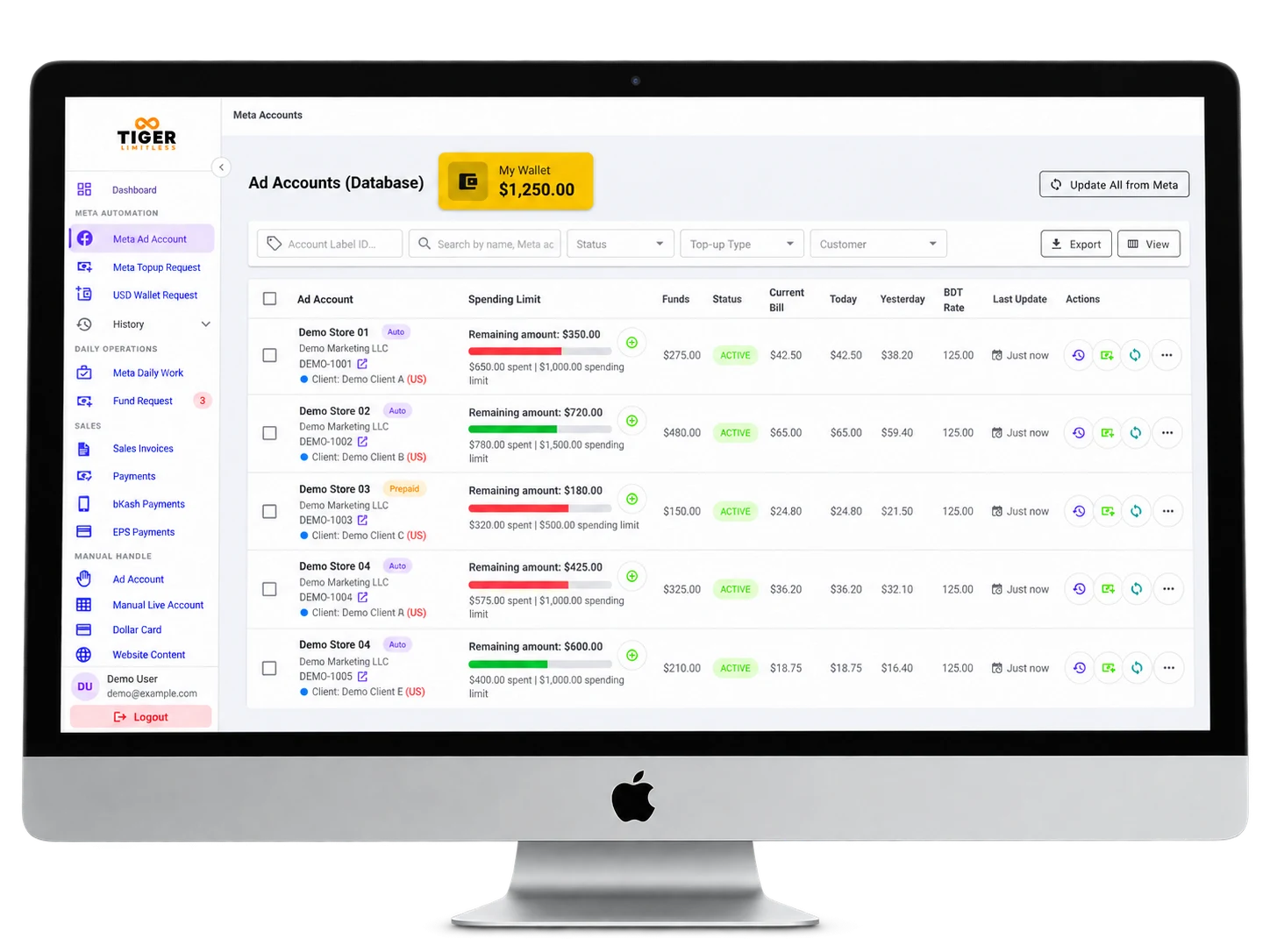
Tiger Limitless ad accounts screen on a desktop monitor, showing the wallet balance, spending limits and account status

Platform preview

See how the platform fits together.

From ad accounts to reports, each part of Tiger Limitless covers one area of your agency’s daily work.

Ad Accounts

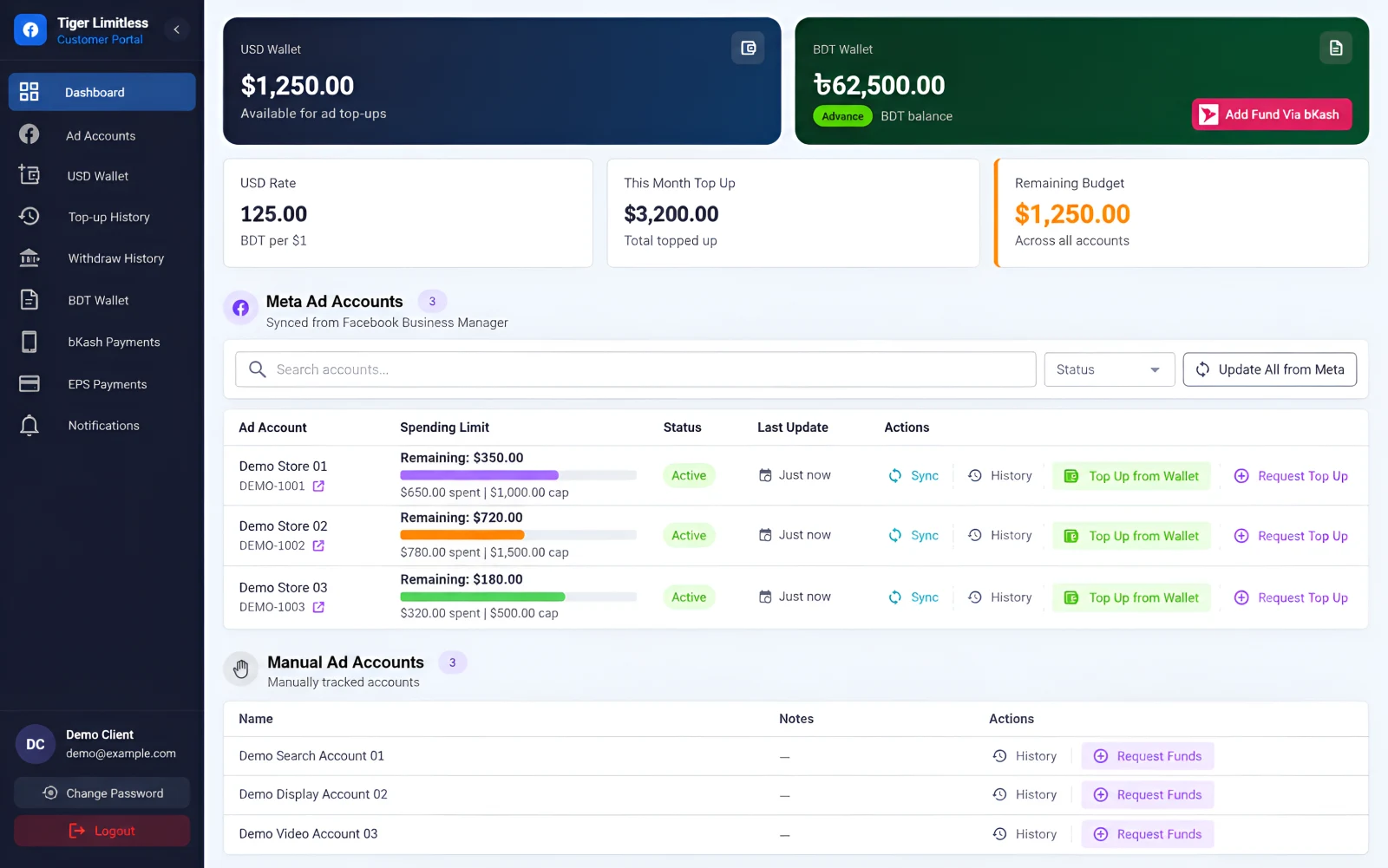
Every Meta ad account in one list, with its status, spending limit, spend and funds. Accounts sync from Meta or are tracked manually.
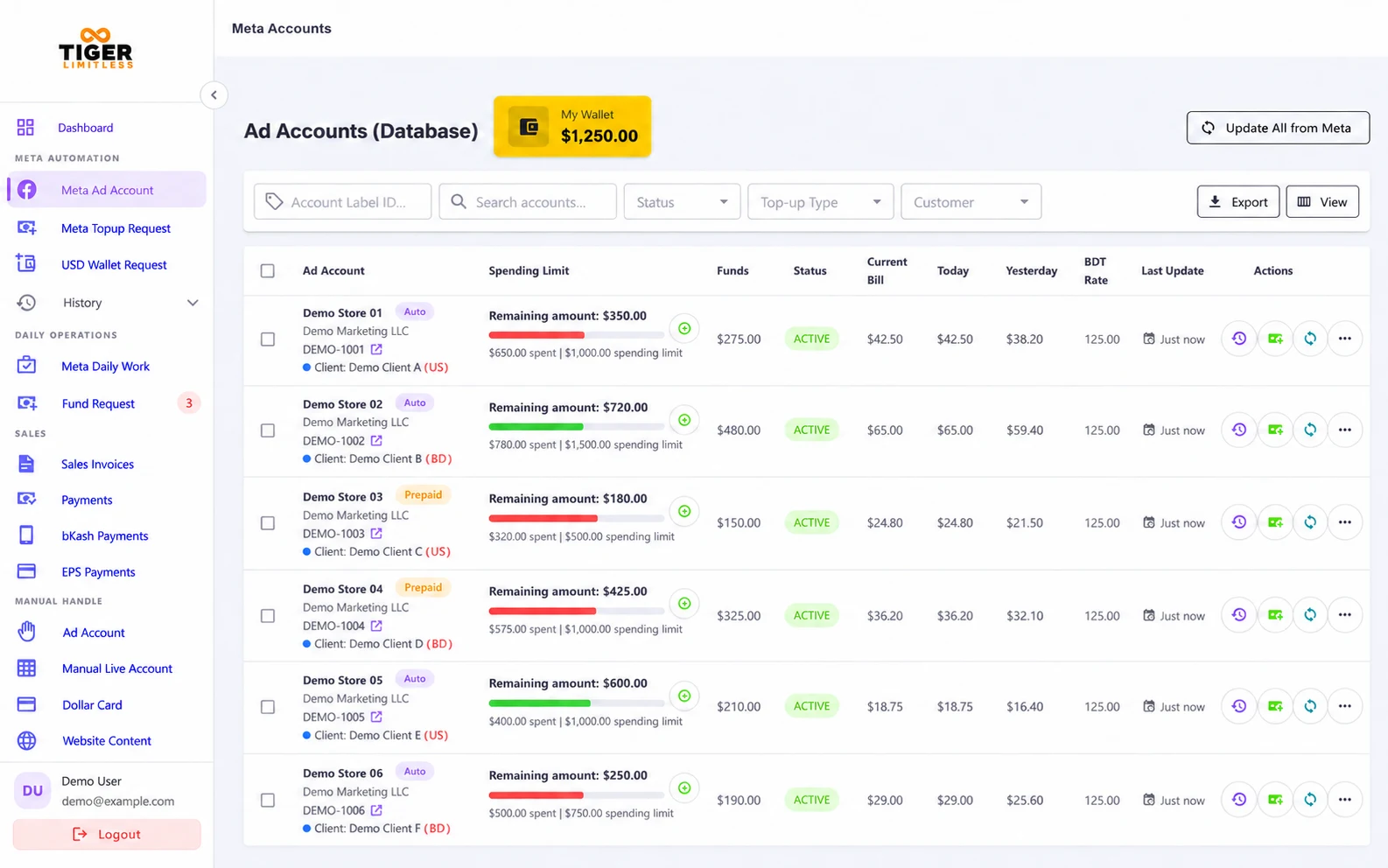
Tiger Limitless: Ad Accounts screen

Client Portal

Clients see their assigned accounts, available balance and history, and can request funds or top up without waiting on your team.
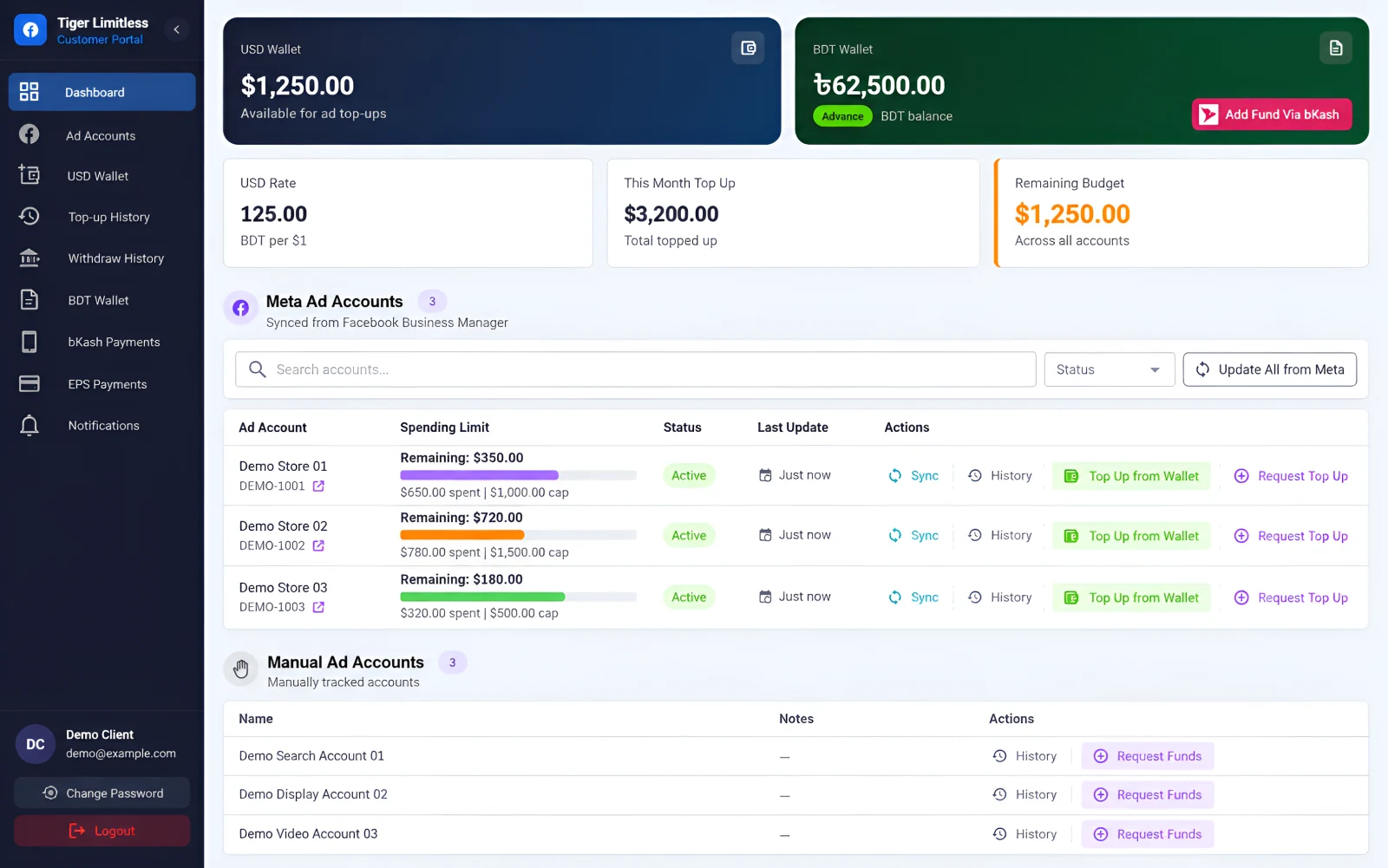
Tiger Limitless: Client Portal screen

Funding Requests

Fund requests move through clear stages, from pending to invoice, with approvals your team can follow at every step.
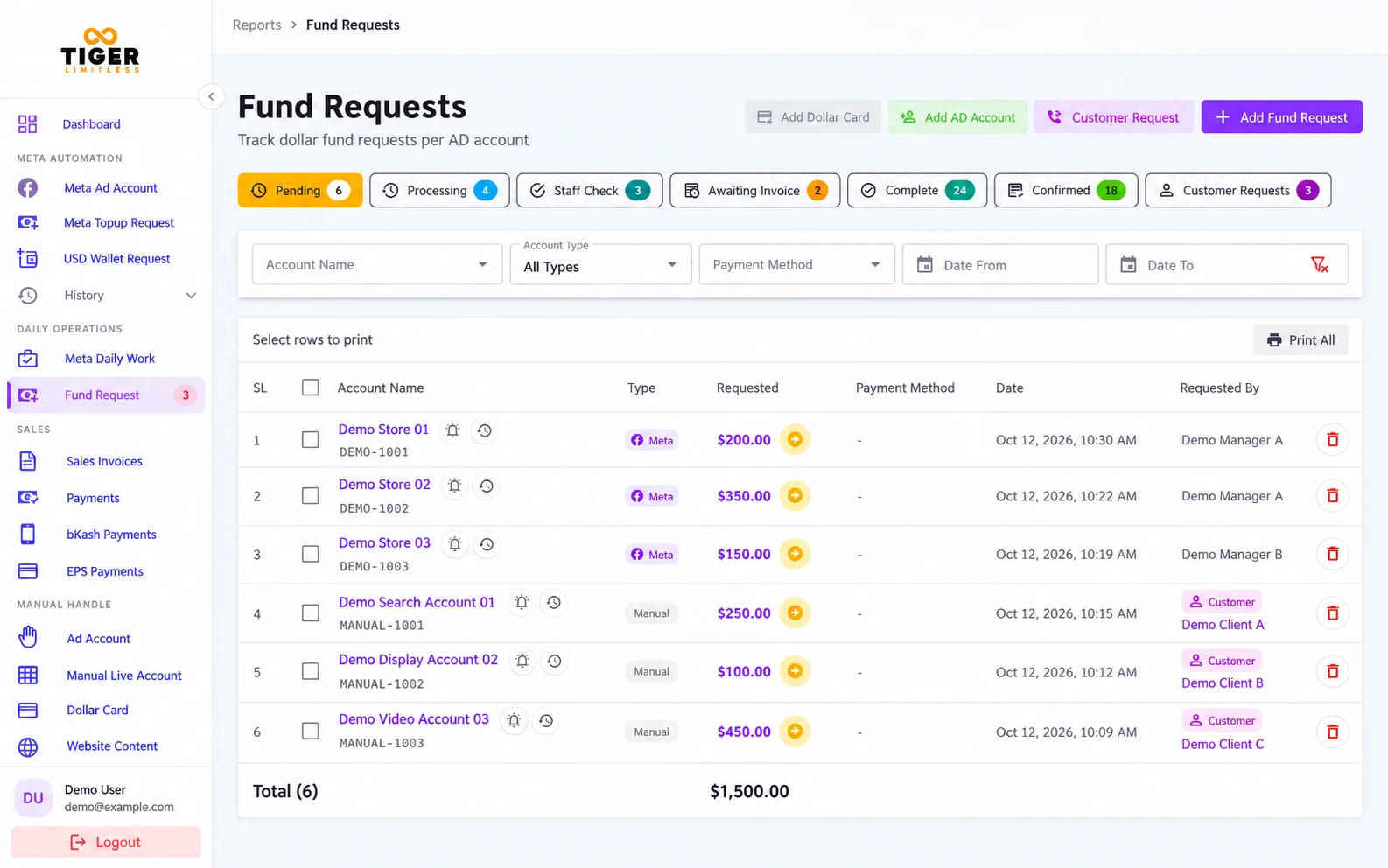
Tiger Limitless: Funding Requests screen

Invoices & Payments

Issue USD or BDT invoices, adjust advances, record payments and share invoice and receipt links with clients.
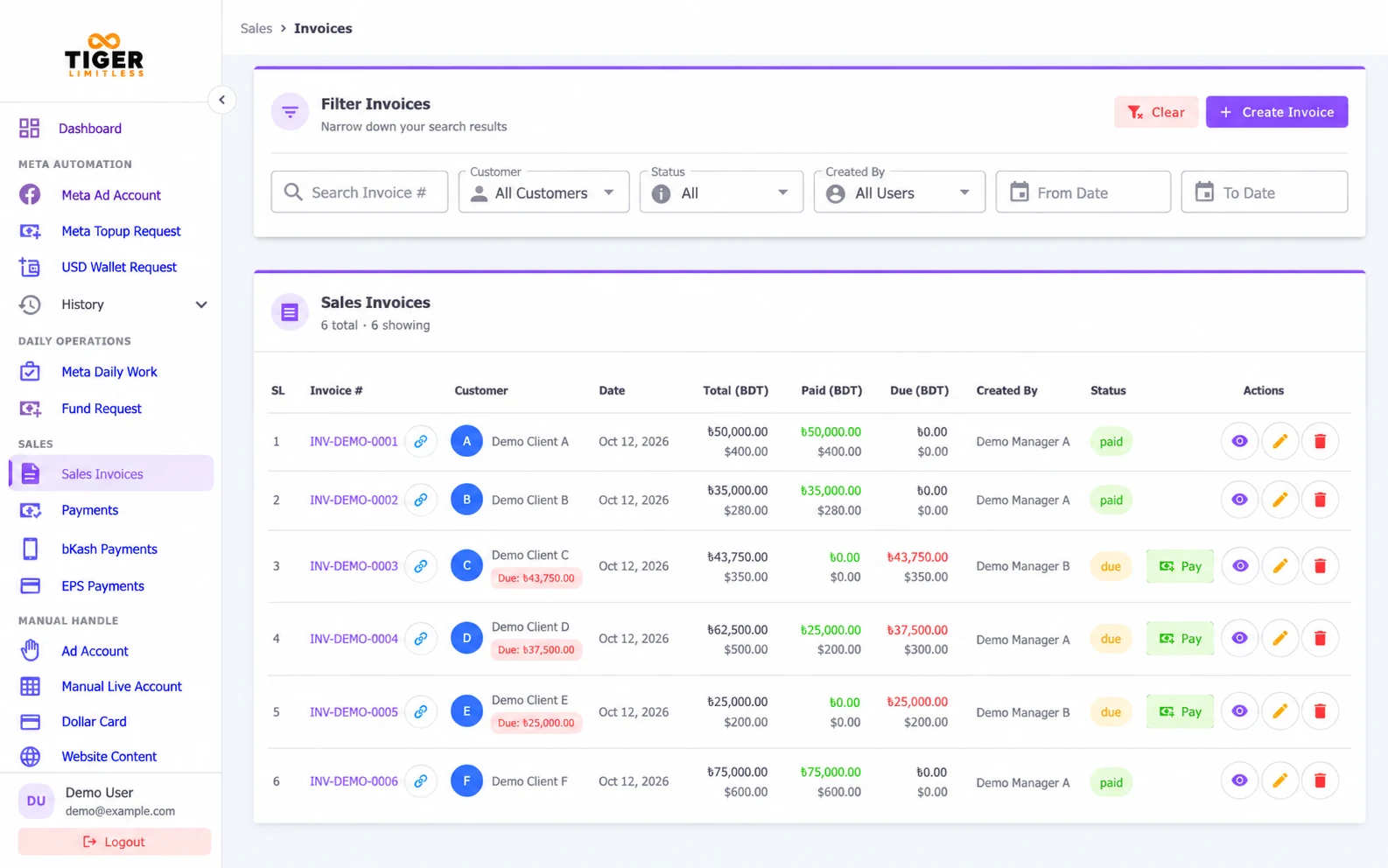
Tiger Limitless: Invoices & Payments screen

Reports

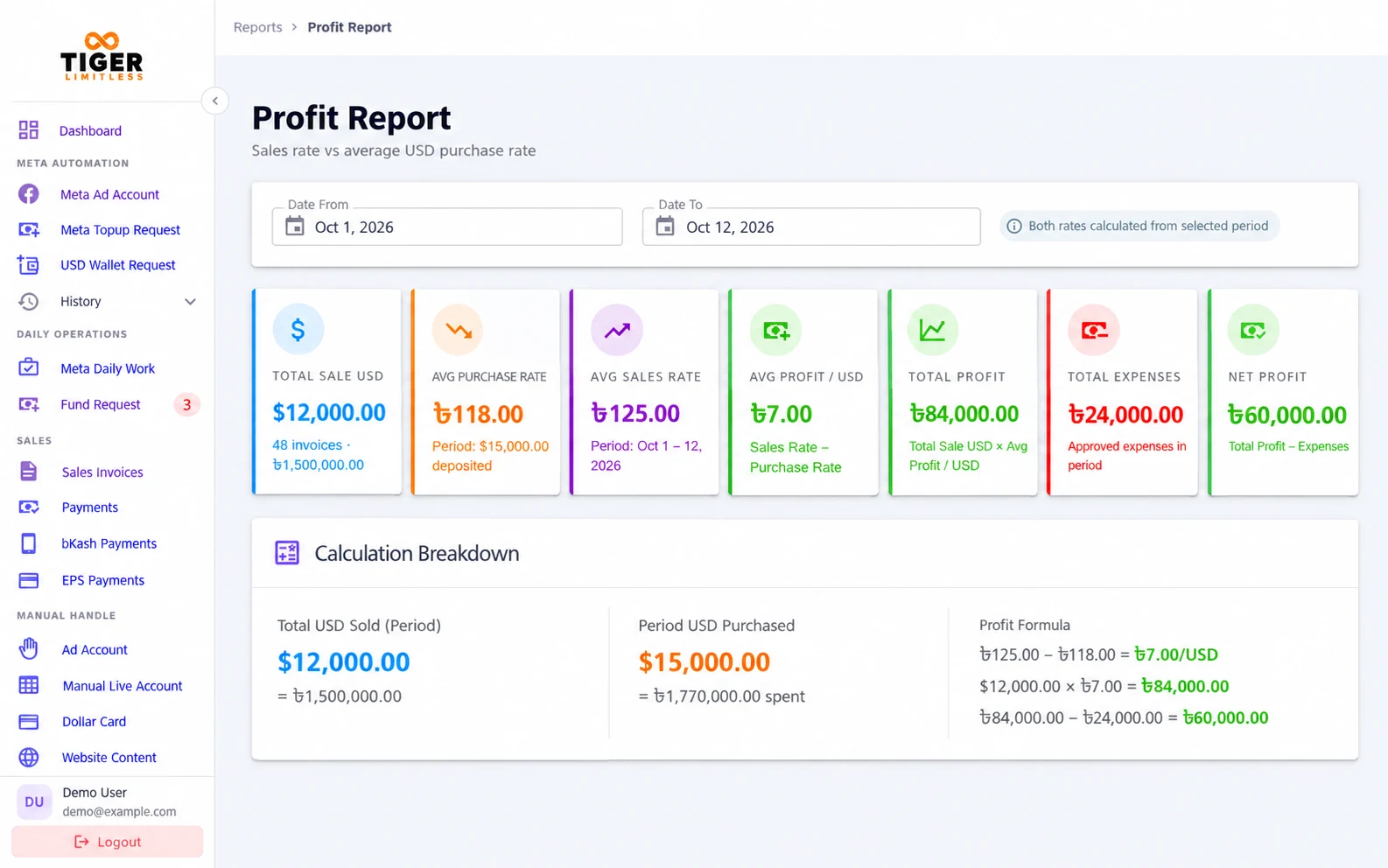
Profit, dues, collections and card usage, reported from the records your team already keeps in the platform.
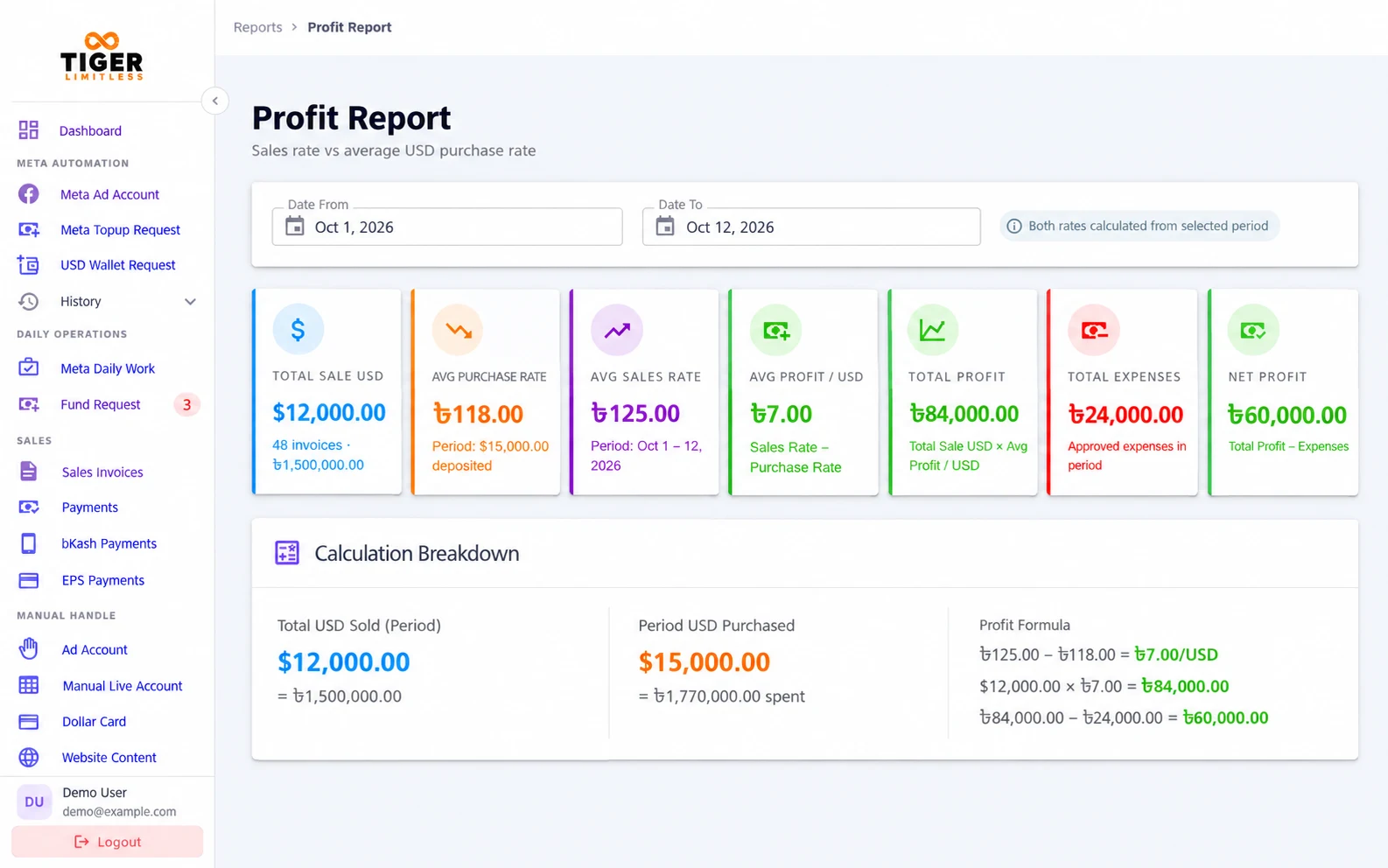
Tiger Limitless: Reports screen

Core features

Everything your operations team handles.

  • Ad Account Management

    Meta account import and sync, with account status, spending limits and spend monitoring.

  • Top-up & Limit Recovery

    Account top-ups, recovery of unused spending limits and automatic refunds for failed top-ups.

  • Wallet & Funding Operations

    Staff, client and company wallets, with requests, approvals and transaction records.

  • Billing & Payments

    USD/BDT invoices, bulk invoicing, advance adjustment, payment records, receipts and shareable invoice links.

  • Supplier & Dollar Cards

    Supplier records, dollar purchase rates and card usage tracking.

  • Reports & Team Control

    Profit, dues and collection reports, with roles, permissions and audit logs.

Three connected panels

One platform for your team, clients and suppliers.

Tiger Limitless Admin Panel

Admin Panel

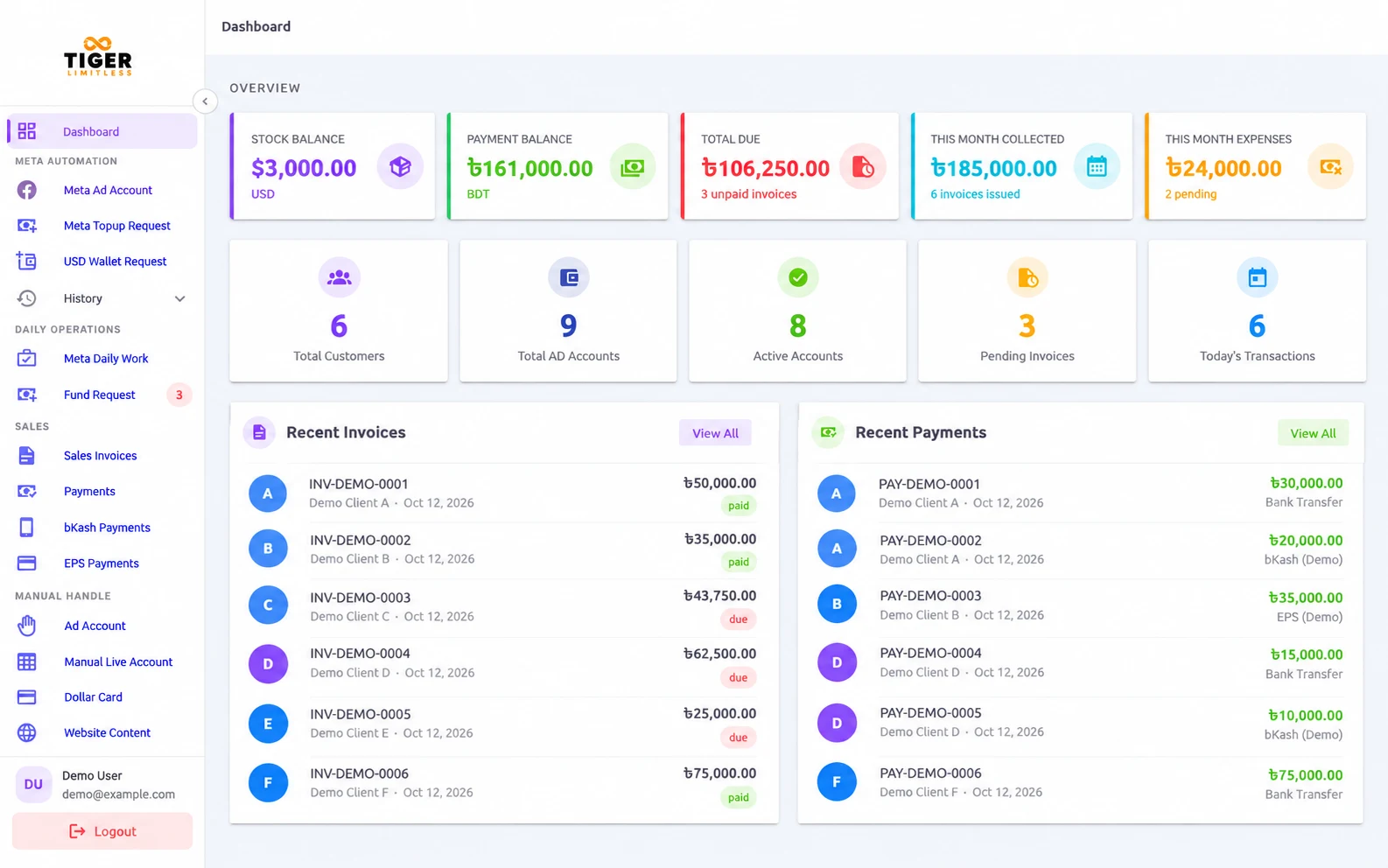
Run the whole operation from one place.

  • Manage ad accounts and approvals
  • Handle funding, wallets and top-ups
  • Issue invoices and record payments
  • Run reports and set staff permissions
Tiger Limitless Client Portal

Client Portal

Give clients self-service access.

  • View their assigned ad accounts
  • Request funds and top up from available balances
  • Make payments
  • Review statements and history
Tiger Limitless Supplier Panel

Supplier Panel

Keep suppliers in the loop.

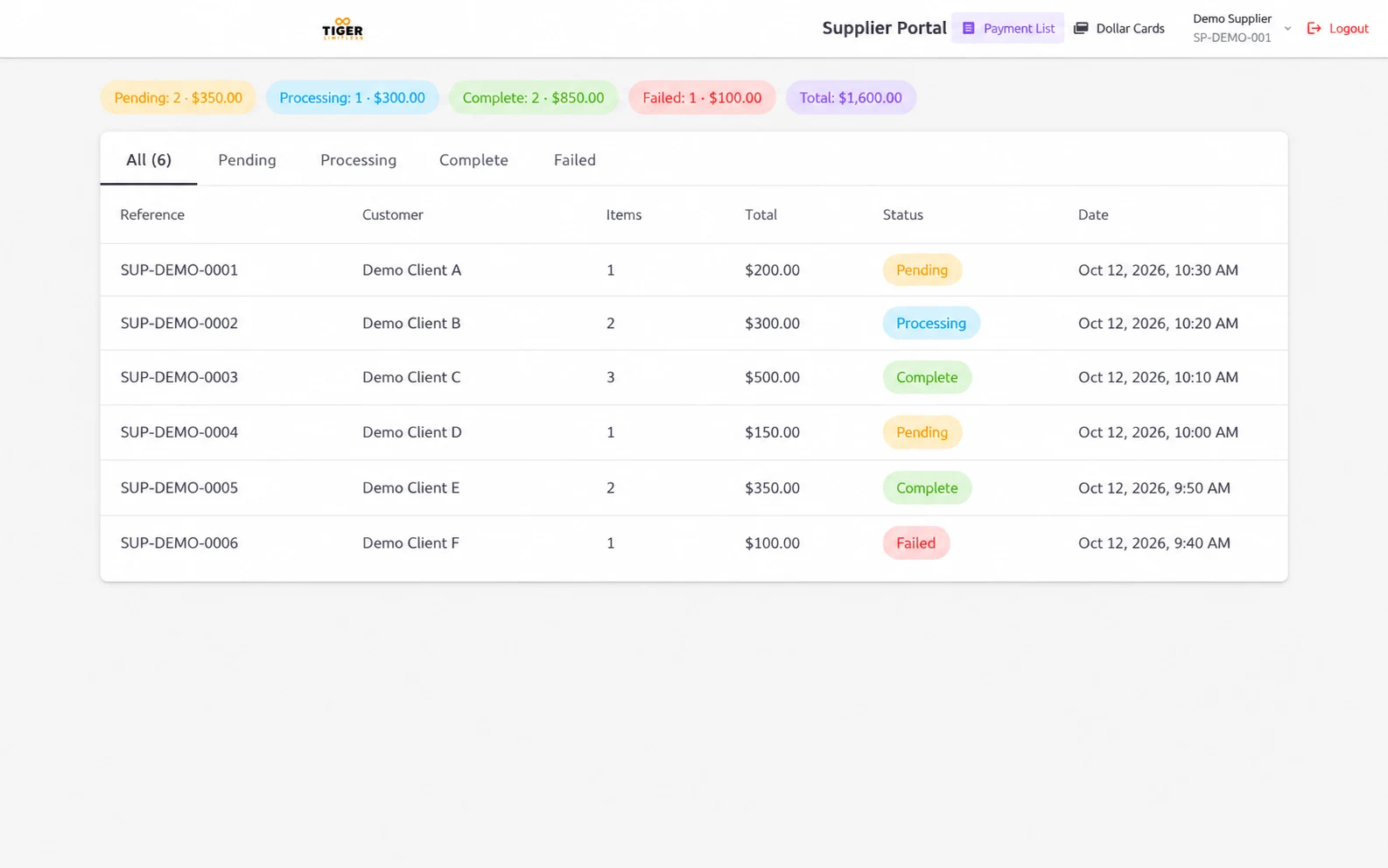
  • View the dollar cards they have supplied
  • Review the usage records for those cards

How it works

Two workflows, clearly tracked.

Workflow 1

Client top-up

  1. Available wallet balance The client tops up from the funds already in their wallet.
  2. Top-up request The request is placed against the chosen ad account.
  3. Meta spending-limit update and verification The account’s spending limit is updated in Meta and checked.
  4. Transaction history The top-up is recorded in the wallet’s transaction history.

Failed top-ups are refunded automatically to the wallet they came from.

Workflow 2

Agency fund request

  1. Pending The fund request has been submitted.
  2. Processing The team is working on the request.
  3. Staff Check A staff member checks the details.
  4. Awaiting Invoice The request is ready to be invoiced.
  5. Invoice The invoice is issued for the request.

Finance & reporting

Know where every dollar stands.

  • Profit visibility from dollar purchase and sale rates.
  • Customer statements and outstanding balances.
  • Payment collection and daily cash-box reports.
  • Dollar card usage and fund-request reports.
Tiger Limitless reports

Integrations

Connected where it matters.

  • Meta API Ad account import and sync
  • bKash Payment gateway
  • EPS Payment gateway
  • Priyo Pay Payment gateway

Access control and oversight

  • Manual tracking Accounts not connected to the Meta API can still be tracked manually.
  • Two-factor login A second step at sign-in protects staff accounts.
  • Role-based permissions Each team member sees and does only what their role allows.
  • Audit logs Key actions are recorded so they can be reviewed later.
  • Spend alerts An alert when an account reaches 80% of its spending cap, so your team can act early.

FAQ

Frequently asked questions

Who is Tiger Limitless for?

Tiger Limitless is built for ad agencies that run Meta ad accounts for their clients. It is designed for agency owners and operations teams who manage ad accounts, client funding, wallets, billing and supplier records.

Can accounts outside the Meta API be tracked?

Yes. Accounts that are not connected through the Meta API can be added and tracked manually, alongside the accounts that are synced.

What happens when a top-up fails?

A failed top-up is refunded automatically to the wallet it came from, and the attempt stays in the transaction history.

What can clients access?

Through the Client Portal, clients can view the ad accounts assigned to them, request funds, top up from their available balance, make payments and review their statements and history.

What can suppliers access?

Through the Supplier Panel, suppliers can view the dollar cards they have supplied and the usage records for those cards.

Does it support USD and BDT invoicing?

Yes. Invoices can be issued in USD or BDT, including bulk invoicing and adjustment against advance payments. Invoice and receipt links can be shared with clients.

How can I request a demo or quotation?

Use the Book a Demo or Request a Quote button on this page, or our contact form. Tell us a little about your agency and we will get back to you.

Bring Your Agency Operations Together.

See Tiger Limitless with your own workflow in mind, or tell us about your agency for a quotation.